How to See When Someone Was Last Active on Instagram
 Sergey D.7 min read
You can see when someone was last active on Instagram, but only in Direct and only if three conditions are met: you message each other or they follow you, they have Activity Status turned on, and you have it turned on too. Then a green dot (active now) or a label like "Active 2h ago" appears next to their profile picture in your chats. Profiles, the feed and stories show no such information, and Instagram doesn't show anyone the exact time of the last login. Below: where to find the status, why some people's status isn't visible, and how to hide that you're online.
Where Instagram shows when someone was last active
Activity Status, as Instagram Help calls it, lives only in direct messages. A person's profile, posts and stories tell you nothing about when they last opened the app.
To check the status:
- Open Direct: the messages icon in the top right corner of your feed.
- Find your chat with the person. A green dot on their profile picture means they're active right now.
- If there's no dot, you may see "Active 15m ago", "Active 3h ago" or "Active yesterday" under their name in the chat list or at the top of the open chat.
The green dot sometimes also appears in the "Share" window when you send a post or story to someone on your list. It's the same status, just in a different place in the interface.
According to Instagram Help, your status is visible to people you follow and anyone you message (help.instagram.com). A stranger who just opened your profile while you were online won't find out.
Can you see the exact time someone was last active?
No. Instagram only shows an approximate label: "just now", "N minutes ago", "N hours ago", "yesterday". There's no exact login time, visit history or activity chart in the app, neither for regular accounts nor for professional ones.
If the person hasn't been on for a long time, the label usually disappears completely and only their name remains in the chat. So "Active today" or "yesterday" is all you can learn from Instagram itself. Services that promise the "exact last login time" or notifications when a particular person comes online can't get this data: it isn't publicly available. Such sites and apps usually ask for your username and password, and then at best show you the same status from Direct.
Can you see when someone was last active without messaging them?
Partly. If the person follows you, their status may appear in the "Share" list or in your messages section even without a shared chat. But if neither of you follows the other and you've never messaged, there's no way to find out from Instagram when they were on.
There are indirect traces of activity, though: a fresh story, a new post or a comment tells you the person was recently in the app. A story's posting time is shown at the top of it ("5h"). But that's when it was posted, not when they were last online: the person could have posted the story in the morning and opened the app many more times since.
Why can't I see when someone was last active on Instagram?
This is the most common question, and it has several honest explanations. None of them on its own means you've been blocked.
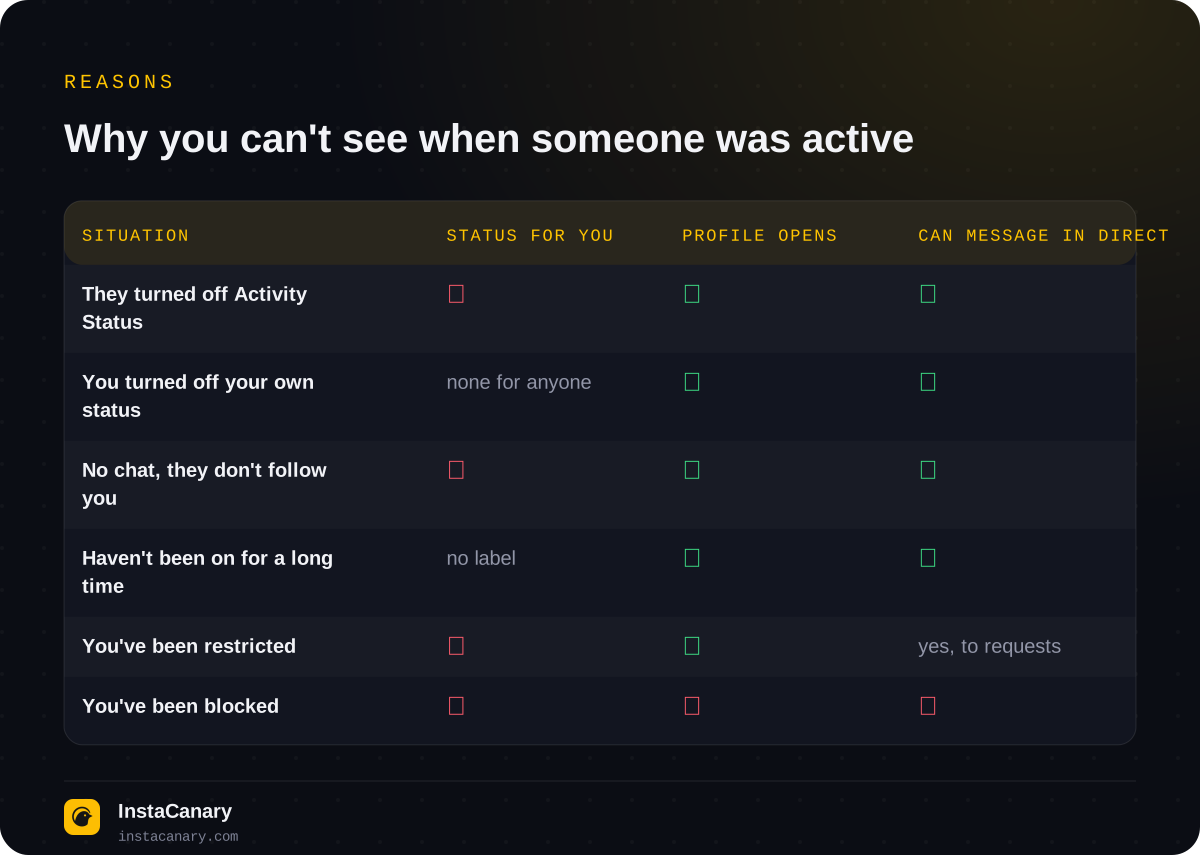
- They turned off Activity Status. Then nobody can see their activity, and that's simply their privacy setting.
- You turned off your own status. The setting works both ways: by hiding your status, you stop seeing other people's. Many people turned it off long ago and forgot about it.
- You don't message each other, and they don't follow you. If you have no shared chat and the person doesn't follow you, there's simply nowhere to show the status.
- They haven't been on in a long time. After a while the "Active ... ago" label disappears.
- You've been restricted. The "Restrict" feature hides the person's Activity Status from you. But from your side it looks the same as an ordinary disabled status. We covered the signs in more detail in How to Tell If Someone Blocked You on Instagram.
- You've been blocked. Then it's not just the status that disappears: the profile won't open and new messages won't send.
Another reason is the app version. Status on Instagram doesn't update instantly, and in the web version and older versions of the app it may show up with a delay or not at all.
Why does it say someone is online when they say they're not?
A green dot isn't proof that the person is scrolling their feed right now. The status can "hang" after the app has been minimized, because Instagram updates it with a delay. Activity from any device counts, too: if the person is logged in on both a phone and a computer, an open browser tab is enough.
The reverse happens as well: the person is online but there's no dot, for example if their connection is poor or they only opened the app very briefly. Treat the status as a rough hint, not an exact log.
How to hide that you're online on Instagram
You can hide your status in your message settings. Item names differ slightly between app versions, but at the time of publication the path is:
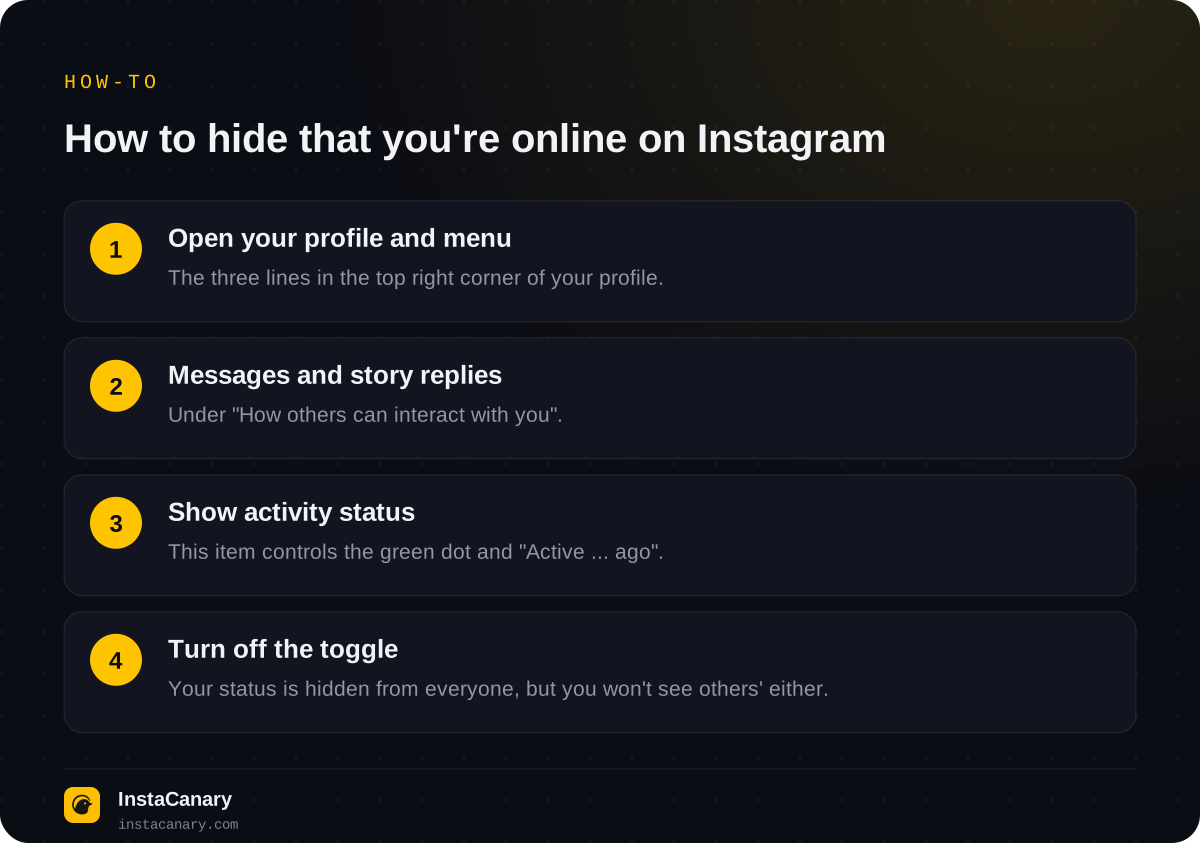
- Open your profile and tap the three lines in the top right corner.
- Below "How others can interact with you", select "Messages and story replies".
- Tap "Show activity status".
- Turn off the toggle.
In a browser the path is similar: "More" in the bottom left → "Settings" → "Messages and story replies" → "Show activity status".
After that, nobody will see either the green dot or the "Active ... ago" label. The trade-off is that you'll stop seeing other people's status too. You can't use this setting to hide your status selectively, from one specific person: it works for everyone at once. For a single contact, "Restrict" or blocking remain, but those are measures for unpleasant contacts, not privacy tools.
What does "Show when you're active together" mean?
Next to the main toggle there's a second one: "Show when you're active together". It applies to an open chat: if you and the other person are in the same conversation at the same time, Instagram shows this to both of you.
According to Instagram Help, you can turn this setting off separately and keep your regular status. Then the people you message will see that you're on Instagram but won't see that you're in the same chat right now. It doesn't work the other way round: if you turn off the main Activity Status, "active together" is turned off automatically (help.instagram.com).
Can people see you're online if you're only watching stories?
Yes, if you've opened the app with your account. Activity Status shows activity on Instagram as a whole, not just in Direct: open the feed or stories and you're online for the people you message, as long as your status is on. And viewing a story itself puts you on the viewers list for 24 hours, where the author sees your username regardless of your status settings. We explained in detail how this list works in Can You See Who Viewed Your Instagram Story?
Turning off your status doesn't make you invisible: likes, comments, story replies and the "Seen" label in Direct work as usual. Read receipts are turned off with a separate setting in chats.
How to watch stories without appearing online
If you want to watch a public profile's stories without showing up in Activity Status or on the viewers list, you can do it without your own account at all. On the anonymous story viewer page, just enter a username: the request is made by the service, and you don't log in to Instagram, so you don't appear "online" and don't end up on the viewers list. Private profiles can't be viewed this way: their stories are visible only to approved followers.
In the Telegram bot you can watch stories and Highlights of public profiles, download stories and Reels, and get notifications about new posts. You don't need your Instagram password.
Watch stories anonymously → @InstaCanaryBot
FAQ
What does the green dot next to a profile picture on Instagram mean?
A green dot in Direct means the person is currently active on Instagram from some device. The status updates with a slight delay, so the dot may stay for a while after they leave.
Will someone know I turned off my Activity Status?
There's no notification about it. The other person will simply stop seeing your green dot and the "Active ... ago" label, and you'll stop seeing their status.
Can a stranger see when I was last active?
According to Instagram Help, your status is visible to people you follow and people you message. A stranger who has only opened your profile can't see it.
Can I hide my Activity Status from just one person?
There's no separate setting for a single contact: the status toggle applies to everyone. If you restrict someone, they'll stop seeing your status, but that's a measure for unwanted contacts.
Does the web version of Instagram show Activity Status?
Yes, in a browser you can see other people's status in the messages section, and you can turn off yours in settings via "More" and "Messages and story replies". There it sometimes updates with a delay.
Read also
- Can You See Who Viewed Your Reels on Instagram?Reels have no viewers list: the author only sees the number of views and insights without names. How Reels differ from stories and which actions are still noticeable.
- How to Tell If Someone Blocked You on InstagramThere's no block notification. The signs, a one-minute check, how a block differs from a deleted, deactivated or restricted account, and what the blocked person sees.
- Does Instagram Notify When You Screenshot a Story?Will the author know you screenshotted or screen recorded their story, where Instagram does notify about screenshots, how Instants work, and where the "star icon" myth came from.