Can You Hide Your Following on Instagram?
 Nikita T.7 min read
You can't selectively hide your following list on Instagram: the app has no separate setting to "hide who I follow" or "hide my followers." The only built-in way is to make your account private. Then only people you've approved will see your following and followers lists, and everyone else will only see the numbers at the top of your profile. Below: what strangers actually see, how to make your profile private, what to do if you need to hide your following from a specific person, and why "hide following" apps don't work.
Can you hide following and followers on Instagram
No, if you mean removing the lists while keeping your profile public. The "Followers" and "Following" lists of a public account are visible to anyone who visits the page, even without an account of their own and without following you. We covered in detail what else is publicly available in What a Public Instagram Profile Shows.
Instagram's choice is binary:
- Public account: everyone sees the lists.
- Private account: only approved followers see the lists.
As of publication, there's no in-between option like "following visible only to me" or "hide following from friends but not from everyone else." You also can't hide one person in your following list: if you follow an account, it shows up in the list, in full, for everyone who can see that list.
What strangers see on a public and a private profile
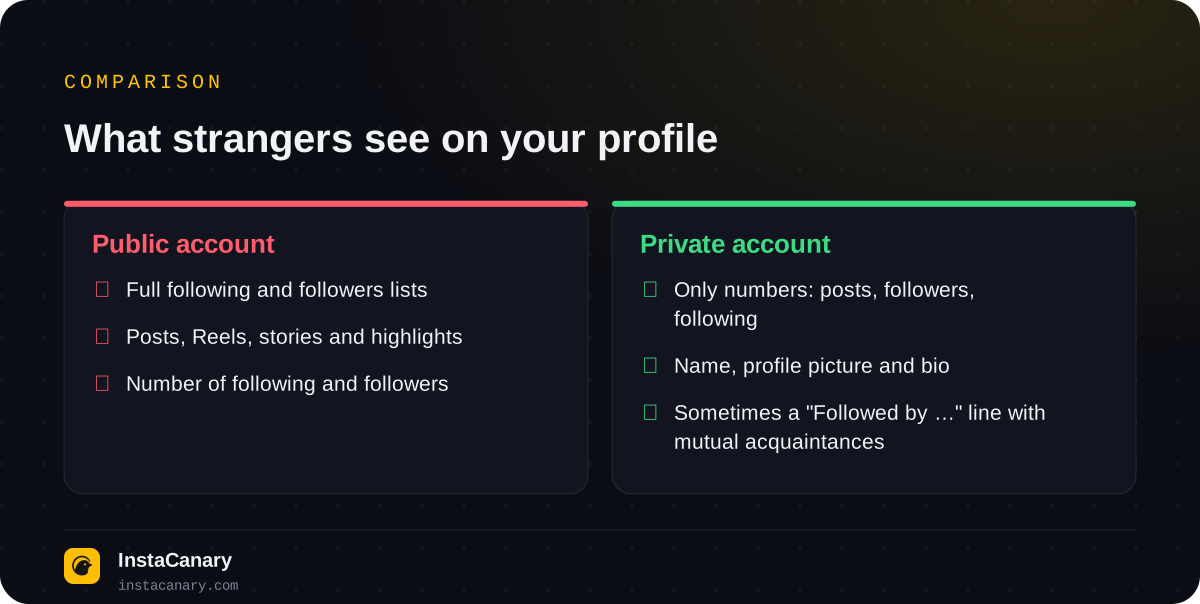
Even with a private account, a stranger sees your username, profile picture, bio and three numbers: posts, followers, following. So how many accounts you follow can always be found out, but exactly whom you follow, only after you approve their request.
There's one more detail. Under the bio, Instagram may show a "Followed by …" line with the names of your mutual acquaintances. It's calculated separately for each viewer, and in most versions of the app it's visible even on private profiles. That way someone can find out that one of the accounts they follow follows you, without seeing the whole list. You can't turn this line off.
How to hide following: make your account private
This is the only way that actually hides both lists. As of publication, the path in the app is (help.instagram.com):
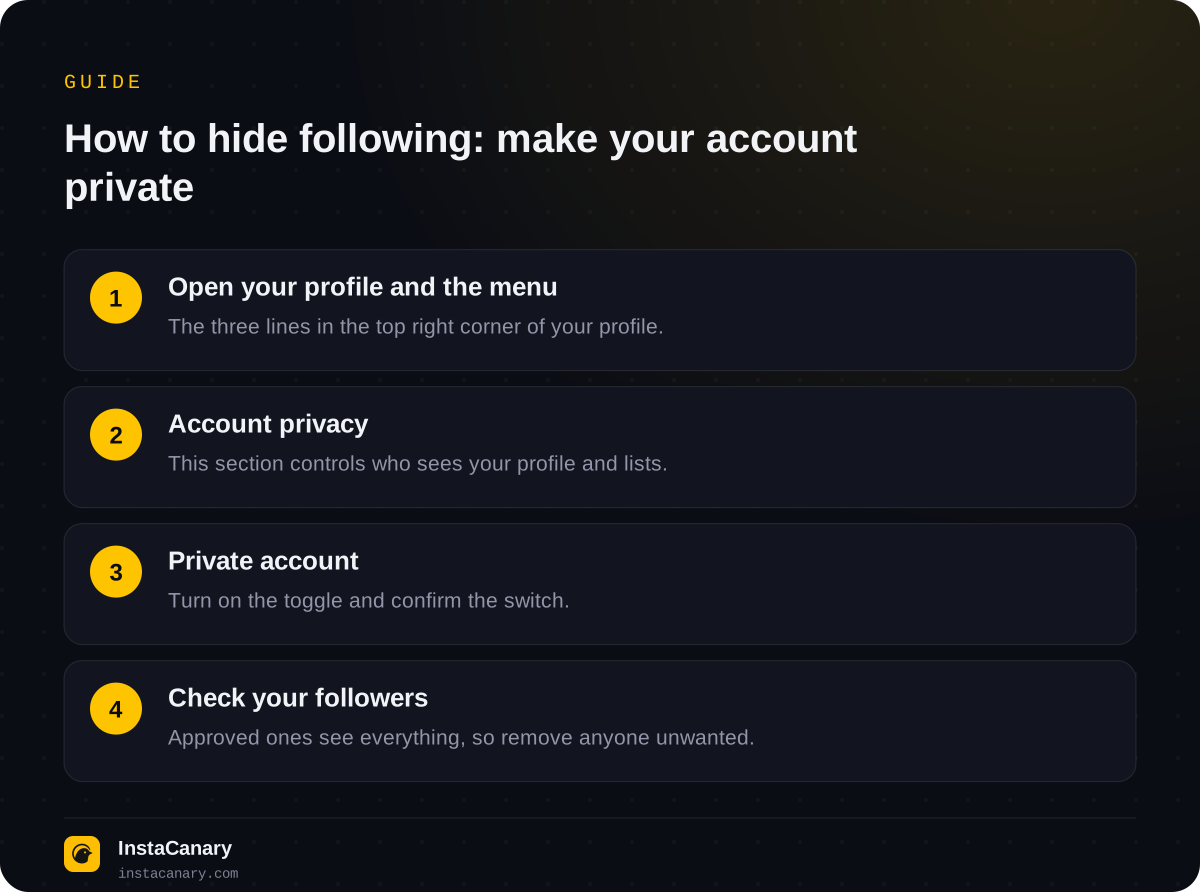
- Open your profile and tap the three lines in the top right corner.
- Select "Account privacy".
- Turn on the "Private account" toggle.
- Confirm with the "Switch to private" button.
What changes after that:
- Current followers stay and will still see your following, followers, posts and stories. Going private doesn't kick out anyone you've already approved.
- New followers will send a request, which you accept or decline.
- Strangers will see the "This account is private" message and the numbers at the top, but not the lists themselves.
There's a limitation for professional accounts: a business account can't be made private, you'll first have to switch it back to a personal account. For a creator account, the available settings depend on the app version: if there's no "Private account" toggle, the reason is usually the profile type.
How to hide following from a specific person
There's no separate setting for one person. Your options depend on whether they follow you.
If they don't follow you. Make your account private, and they won't see the lists. If they send a request, just don't accept it.
If they already follow you. Going private isn't enough: approved followers see everything. You need to make your profile private first, then remove this person from your followers: "Followers" → "Remove" next to their name. Instagram doesn't send a notification about the removal, but the person may notice they no longer follow you if they visit your page and see the "Follow" button.
If you need to hide everything for good, blocking is what's left. A blocked person won't find your profile and won't see either the lists or your posts. What this looks like from their side is covered in How to Tell If Someone Blocked You on Instagram.
The "Restrict", "Hide story and live from" and "Close Friends" features don't hide your following list. They affect comments, messages and who sees your stories, but not who sees your followers and following.
How to hide followers on Instagram
It's all the same here: the followers list is only hidden by making your account private. You can't hide one follower in the list while keeping them as a follower. If you don't want someone to be listed among your followers, the only option is to remove them.
It's important to understand the flip side too. Even if you make your profile private, your follow is visible in the followers list of the person you followed. If that person has a public account, any stranger can open their followers and find you there. A private profile hides your lists, but not your presence in other people's.
What happens if you make your account public again
Going private is easy to undo with the same toggle in "Account privacy". But keep in mind that privacy on Instagram doesn't work retroactively: as soon as your profile is public again, your following and followers lists will once again be visible to any visitor, including the people you were hiding them from. Follow requests you haven't reviewed yet are usually approved automatically once the profile goes public, so it's better to go through them before switching.
If you made your profile private only for a while, for example during a job search or after an unpleasant conversation, keep the reverse in mind as well. While your account is private, your posts don't show up in recommendations or in "Explore" for people who don't follow you, and strangers can't see your Reels. For a personal profile this usually isn't a problem; for a blog it's a noticeable loss of reach.
Can you follow someone without them knowing
No. When you follow someone, they get a notification, and your account appears in their followers list. If their profile is private, they approve your request themselves, so they definitely know about it. Unfollowing, on the other hand, doesn't send a notification: more on this in How to See Who Unfollowed You on Instagram.
Finding out whether a specific person follows you is simple: open their profile. If they follow you and you don't follow them, you'll see a "Follow Back" button instead of "Follow". You can also find them by searching your followers list.
Can you hide what you like
Partly. Instagram has a setting to hide like counts: it hides the like counter on your posts and, separately, on other people's posts in your feed. But that's only the numbers. The post's author sees who liked it, and you show up in the likes list under the post for everyone who has access to it. You can't hide the fact that you liked something, you can only remove the like.
The tab where you used to see what the people you follow were liking has long been gone from the app. So you can't view someone else's like feed either: your like can only be seen by opening a specific post.
Myths about hiding your following
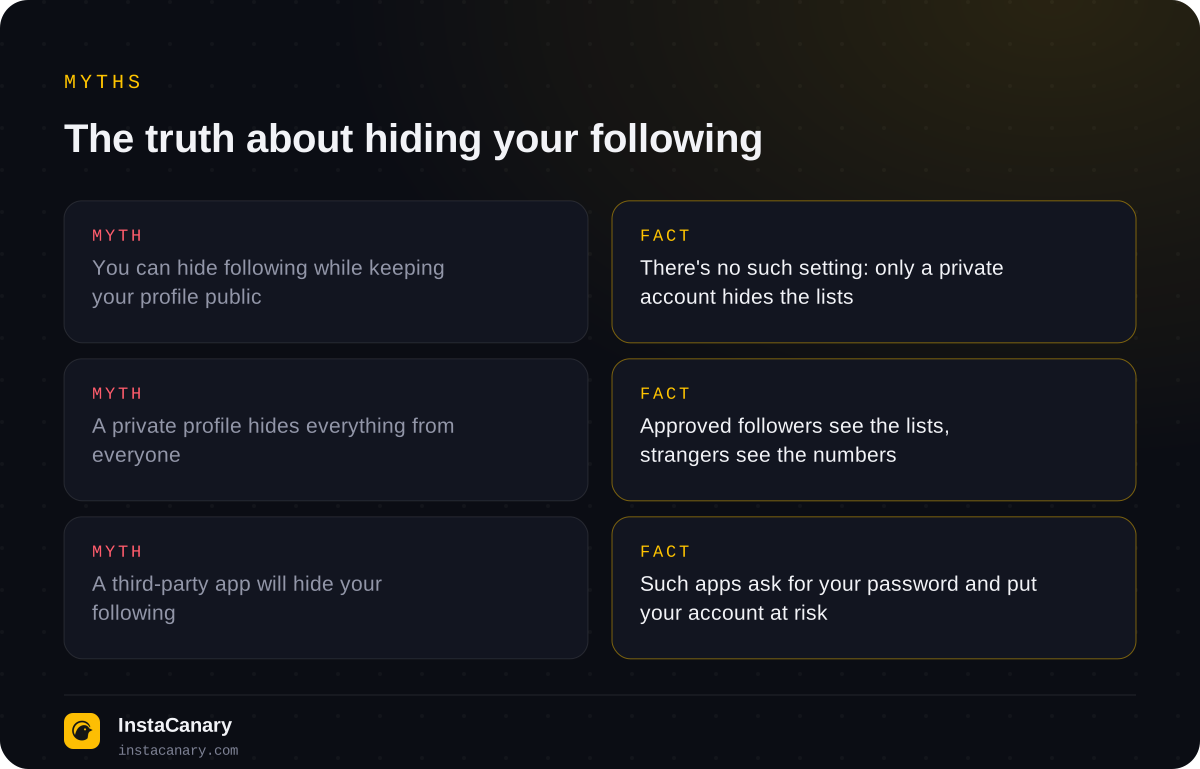
The most harmful myth is that a third-party app can hide your following. Instagram has no such features, and an outside service can't add them. Apps that promise this usually ask you to log in with your username and password, and then they get access to your account. At best nothing happens; at worst your account gets stolen or used for spam.
The same goes for the reverse: services that promise to "show the following of a private profile" can't do that. A private account's lists are only available to approved followers.
How to view a public profile without following
Many people want to hide their following because they don't want to show their interest in someone's page. You don't need to follow for that: a public account's posts, Reels, lists and stories are available without following. You can watch a public profile's stories on our anonymous story viewer page: just enter the username, you don't need an account of your own, and you won't end up in the viewers list. Private profiles can't be viewed this way.
In the Telegram bot you can watch stories and highlights of public profiles, download stories, Reels and posts, and get notifications about new posts without following. You don't need your Instagram password.
Watch stories anonymously → @InstaCanaryBot
FAQ
Can my followers see who I follow if my account is private?
Yes. A private account only hides the lists from people you haven't approved. All current followers can still see both your following and your followers.
Will someone know I removed them as a follower?
Instagram doesn't send a notification about the removal. The person can only notice it if they visit your profile and see that they can follow you again.
Can I hide one account from my following list?
No. If you follow an account, it shows up in your following list for everyone who can see that list. You can only hide it by unfollowing.
Is the following count visible on a private profile?
Yes. The numbers of posts, followers and following at the top of the profile are visible to everyone, even if the account is private. Only the lists themselves are hidden.
Why don't I have the "Private account" toggle?
Most often because you have a business account: it can't be made private. You first need to switch to a personal account in the account type settings.
Read also
- How to See When Someone Was Last Active on InstagramWhen someone was last active is shown only in Direct, and only if both of you have Activity Status turned on. Why it's sometimes not visible and how to hide that you're online.
- Can You See Who Viewed Your Reels on Instagram?Reels have no viewers list: the author only sees the number of views and insights without names. How Reels differ from stories and which actions are still noticeable.
- How to Tell If Someone Blocked You on InstagramThere's no block notification. The signs, a one-minute check, how a block differs from a deleted, deactivated or restricted account, and what the blocked person sees.